Apple
Which iPad is right for you? Here’s what Apple has to say

Making the Right iPad Purchase for You
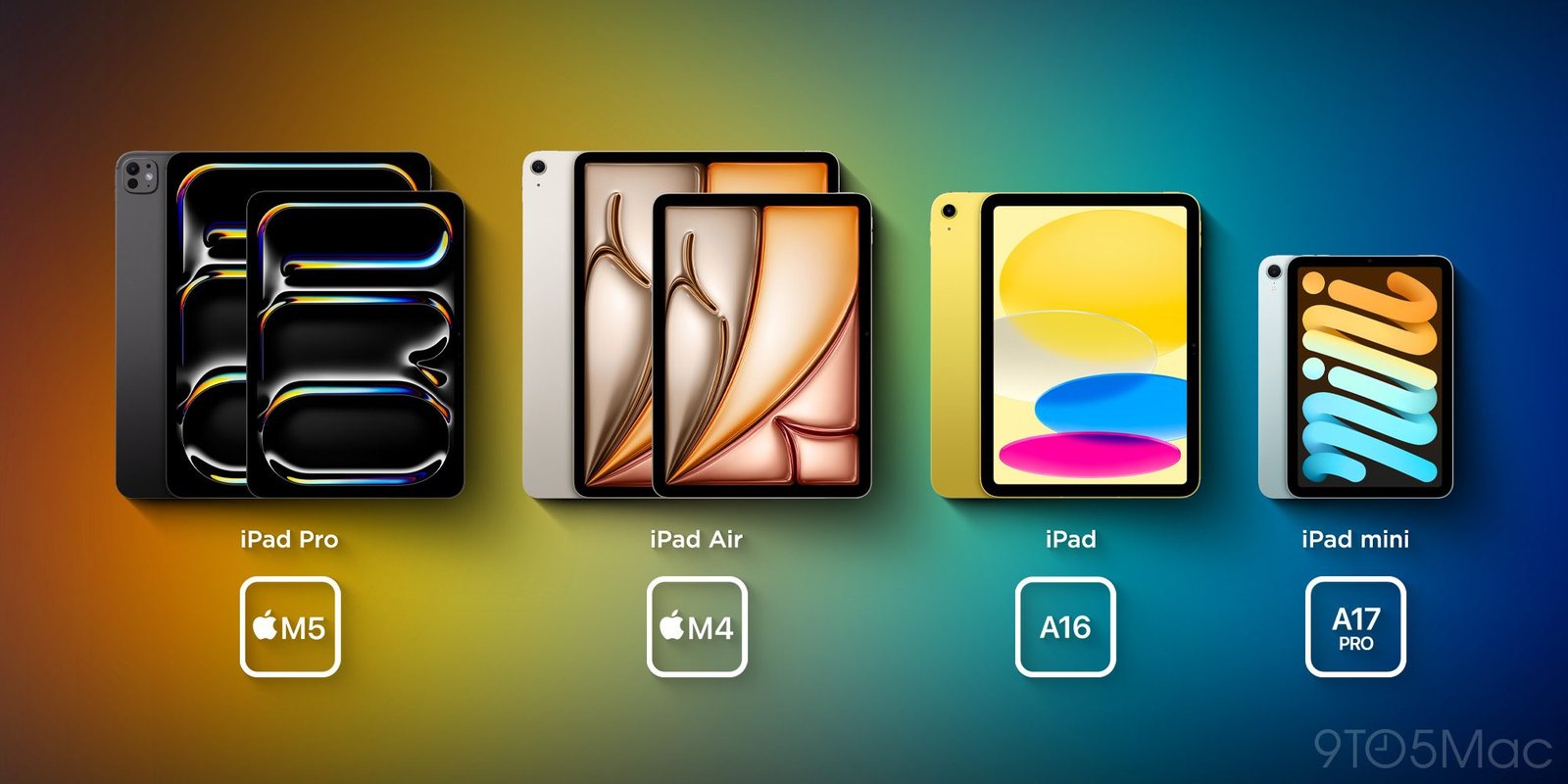
When choosing the right iPad, there are many things to consider. One challenge for iPad buyers is the number of models and features available. Apple has created several different iPad models, including iPad mini, iPad Air, and iPad Pro, each with different features and price points.
Buying an iPad can get more complicated if you also have to consider the various accessories available. Accessories like keyboards, styluses, and cases can let you use the iPad more effectively, but the range of options can also be confusing.
Apple has a vision for its iPad product lines and the ideal users for each model. They try to make it easy for you to find the right iPad for your needs. However, no iPad model is perfect for every user.
iPad Options Based on Your Needs
Here are some iPad options to consider depending on different needs:
1. iPad mini for Portable Needs
iPad mini is designed for one-handed use in certain situations. That makes it an ideal choice if you need high portability and want to use the iPad for simple activities like reading books or watching videos.
2. iPad Air for Productive Needs
iPad Air is designed for users who need an iPad for productive tasks such as writing documents, creating presentations, or editing videos. With higher specs and more features, iPad Air can help you be more effective in productive activities.
3. iPad Pro for Professional Needs
iPad Pro is designed for users who need an iPad for professional work like graphic design, video editing, or photo editing. With very high specifications and advanced features, iPad Pro can help boost your professional productivity.
When choosing the right iPad, make sure you consider your actual needs. By understanding your specific requirements, you can more easily make the right iPad purchase for your needs.
Saving Time When Buying an iPad
When buying an iPad, you can save time by:
1. Reading the iPad Specifications
Before buying, make sure you read the specifications of the iPad you want. This will help you understand the features and capabilities the iPad offers.
2. Read Reviews
Read reviews from other iPad users to understand their experience using the device. This can help you get a clearer picture of what to expect from the iPad you're interested in.
3. Visit an Apple Store
Visit an Apple Store to get more complete information about the iPad you're interested in. You can also try the iPad before making a purchase.
By saving time during your iPad purchase process, you can be more effective in finding the right iPad for your needs.
Apple has created different iPad product lines to accommodate a variety of user needs. By understanding the iPad options available and making the right purchase, you can improve your productive performance and use the iPad more effectively.
Category
Apple
Share